Technical IT portfolio
A portfolio with visual navigation, an interactive terminal and a command palette for presenting technology experience, projects and learning.
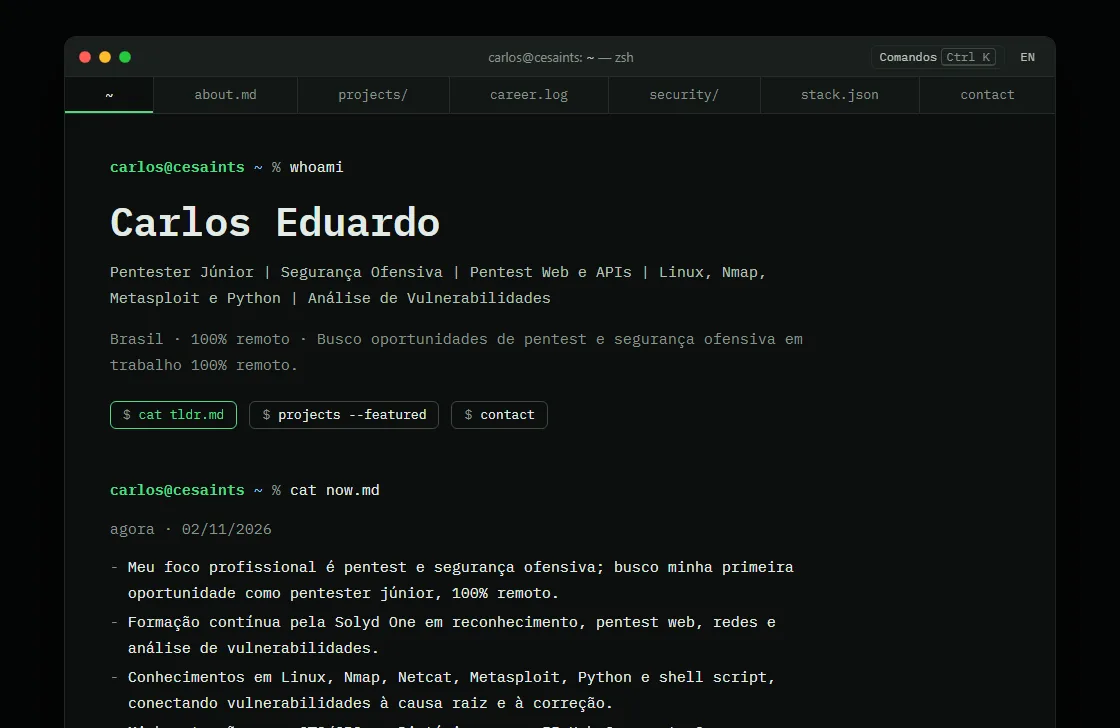 Open project ↗Previous portfolio version
- Role
- Concept, design and development
- Period
- Sep 2026 – Nov 2026
- What I did
Me: Personal project covering architecture, interface, content and development.
The project
This is the previous version of my portfolio, preserved as a demonstration of a personal technical website. Its terminal metaphor is complemented by links and a command palette.
In the demonstration, contact opens the current portfolio’s form. The other pages show the historical content of that version.
Constraints
- Content navigable through links, including without JavaScript.
- Terminal and palette derived from the same content collection.
Decisions
Three ways to navigate the same content
- Context
- The presentation needed to serve visitors who prefer links, commands or keyboard shortcuts.
- Choice
- Combine HTML pages, an interactive terminal and a command palette.
- Gains
- Visitors can choose how to explore the portfolio.
- Costs
- The three navigation methods must stay in sync.
Stack and why
- Astro and Preact
- HTML pages and interactive terminal and palette components.
- TypeScript
- Shared contracts for content and commands.
Results
not verified
Security angle
Attack surface
- Navigation
- public content and contact form.
Controls in place
- Content policy
- server-side validation and keyboard access.
What I would test today
- Navigation without JavaScript
- commands
- accessibility and contact submission.